How to unsubscribe from Foregon emails
A quick step-by-step walkthrough (with screenshots), plus the easiest way to unsubscribe using Leave Me Alone.

How to unsubscribe from Foregon emails
A step-by-step guide
There are a few ways to unsubscribe from Foregon marketing emails

 About Foregon
Foregon is a Brazilian financial services platform that helps users find the best credit cards, bank accounts, and loans to meet their financial goals.
Step-by-Step guide to unsubscribe from Foregon
Follow these steps to manually unsubscribe from Foregon emails
- 1
- Inizia trovando nella tua Posta in arrivo un'email da Foregon.
- Puoi provare a cercare foregon.com.
from:foregon.com
- 2Vai in fondo all'email, clicca unsubscribe; la pagina che si apre sarà simile a questa.

- 3Ora sei disiscritto dalle email di Foregon!
Clean your whole inbox of mailing lists using Leave Me Alone
Most ways to unsubscribe from unwanted emails require manual effort and don't guarantee that you will stop receiving emails. Leave Me Alone provides an easy and effective way to clean up your inbox!
The advantage of Leave Me Alone is there's no need to go through a manual process to unsubscribe. We show you the list of the newsletters and marketing emails from your inbox, and you can quickly choose which ones you want to unsubscribe from.
We do all the hard work of unsubscribing for you
Here's how to stop receiving Foregon emails with Leave Me Alone:
- 1. Sign up for Leave Me Alone.
- 2. Connect your email account (you can connect several email addresses).
- 3. View the list of subscriptions to see which senders are clogging up your inbox.
- 4. Click the Unsubscribe button next to all of the emails that you want to remove from your inbox.
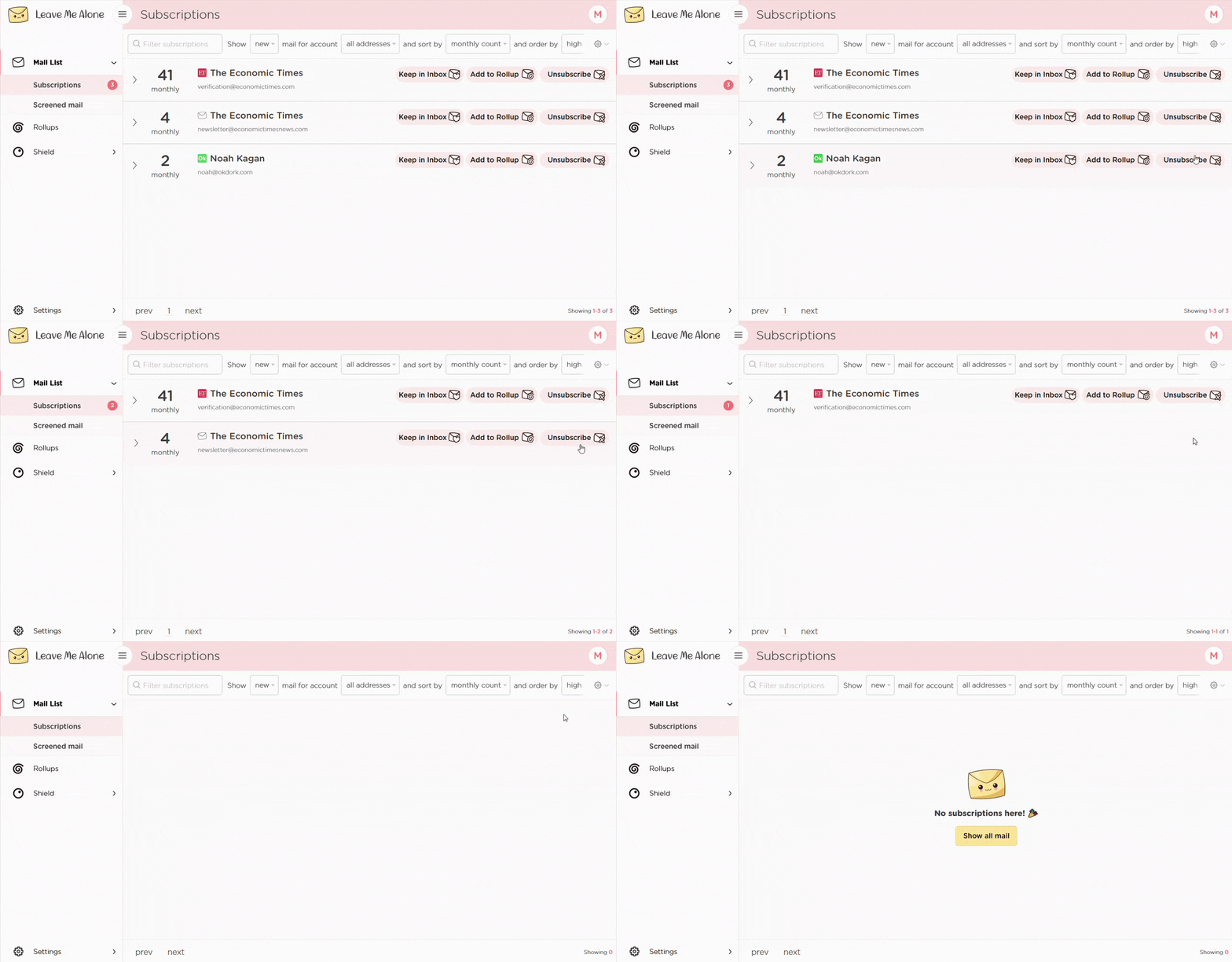
That's the easiest way to unsubscribe from Foregon! Leave Me Alone will automatically unsubscribe you, and even if you stop using our service those emails are gone forever.
Leave Me Alone works with a variety of email providers, including Gmail, Outlook and Hotmail, Yahoo, Zoho Mail, and others. It will also help you unsubscribe from emails from other platforms such as FCBB (First Community Bank of the Bahamas), FinlyWealth, Acorns, Investa, o Beetal Financial
Learn more about unsubscribing with Leave Me Alone
Or...
Start unsubscribing nowPlus Leave Me Alone has many other features to help you keep a clean inbox
Once you've mass-unsubscribed from all your unwanted emails, our Rollups and Shield features will help you to keep your inbox clean with a minimal amount of effort!
Disiscrizioni reali

Seguiamo i link di disiscrizione e ti disiscriviamo davvero dalle email. Non le riceverai più, nemmeno se smetti di usare il servizio.
Più account
Collega più account email e vedi tutte le email a cui sei iscritto in un unico posto. Niente più cambio di scheda!
Più Rollups

Raggruppa le email in fino a 10 Rollups. Questi riepiloghi possono essere inviati giornalmente o settimanalmente secondo il tuo calendario.
Blocca cold email

Stufo delle finte email personali che cercano di venderti qualcosa? Blocchiamo le cold email inviate con strumenti di massa, così non finiscono nella tua Posta in arrivo.
Mittenti prioritari

Vuoi ricevere alcune email importanti immediatamente. Segna i mittenti come prioritari e arriveranno sempre nella tua Posta in arrivo.
Modalità Non disturbare

Hai bisogno di concentrarti?
La nostra modalità Non disturbare trattiene le email e le consegna quando il tuo tempo di concentrazione è terminato.
Funziona con qualsiasi provider email
Qualunque provider email tu usi, funziona con Leave Me Alone.
Leave Me Alone funziona con Gmail, Outlook, Yahoo, AOL, Fastmail, iCloud e molti altri!







Frequently asked questions about unsubscribing from Foregon
Da quale indirizzo provengono le email di Foregon?
La maggior parte delle newsletter viene inviata da comunicacao@somos.foregon.com
Perché continuo a ricevere email dopo essermi disiscritto?
Alcuni mittenti impiegano fino a 72 ore per elaborare le rimozioni. Potresti continuare a ricevere email transazionali, come ricevute o avvisi sull'account.
Questa guida è affiliata a Foregon?
No. Questa guida indipendente è creata da Leave Me Alone per aiutare gli utenti a gestire le email indesiderate.
Don't take our word for it, here's what our customers have to say
 4.5 stelle da 2,000+ recensioni di clienti soddisfatti
 4.7 su 5 basato su 120 recensioni
 4.8 su 5 basato su 77 recensioni
 Keep your inbox clean and tell the subscriptions
to leave you alone!
Unsubscribe from 10 emails for free - no credit card required.
14 day money back guarantee
This guide is for informational purposes only and not affiliated with Foregon.