How to unsubscribe from BioOptimal Supplements emails
A quick step-by-step walkthrough (with screenshots), plus the easiest way to unsubscribe using Leave Me Alone.

How to unsubscribe from BioOptimal Supplements emails
A step-by-step guide
There are a few ways to unsubscribe from BioOptimal Supplements marketing emails

 About BioOptimal Supplements
BioOptimal Supplements offers premium quality organic and natural superfood supplements, including products like collagen, spirulina, chlorella, and turmeric curcumin.
Step-by-Step guide to unsubscribe from BioOptimal Supplements
Follow these steps to manually unsubscribe from BioOptimal Supplements emails
- 1
- Start by finding an email from BioOptimal Supplements in your inbox.
- You can try searching for biooptimalsupplements.com.
from:biooptimalsupplements.com
- 2Go to the bottom of the email, click unsubscribe, the page that loads will look like this.

- 3

- 4You are now unsubscribed from BioOptimal Supplements emails!

Clean your whole inbox of mailing lists using Leave Me Alone
Most ways to unsubscribe from unwanted emails require manual effort and don't guarantee that you will stop receiving emails. Leave Me Alone provides an easy and effective way to clean up your inbox!
The advantage of Leave Me Alone is there's no need to go through a manual process to unsubscribe. We show you the list of the newsletters and marketing emails from your inbox, and you can quickly choose which ones you want to unsubscribe from.
We do all the hard work of unsubscribing for you
Here's how to stop receiving BioOptimal Supplements emails with Leave Me Alone:
- 1. Sign up for Leave Me Alone.
- 2. Connect your email account (you can connect several email addresses).
- 3. View the list of subscriptions to see which senders are clogging up your inbox.
- 4. Click the Unsubscribe button next to all of the emails that you want to remove from your inbox.
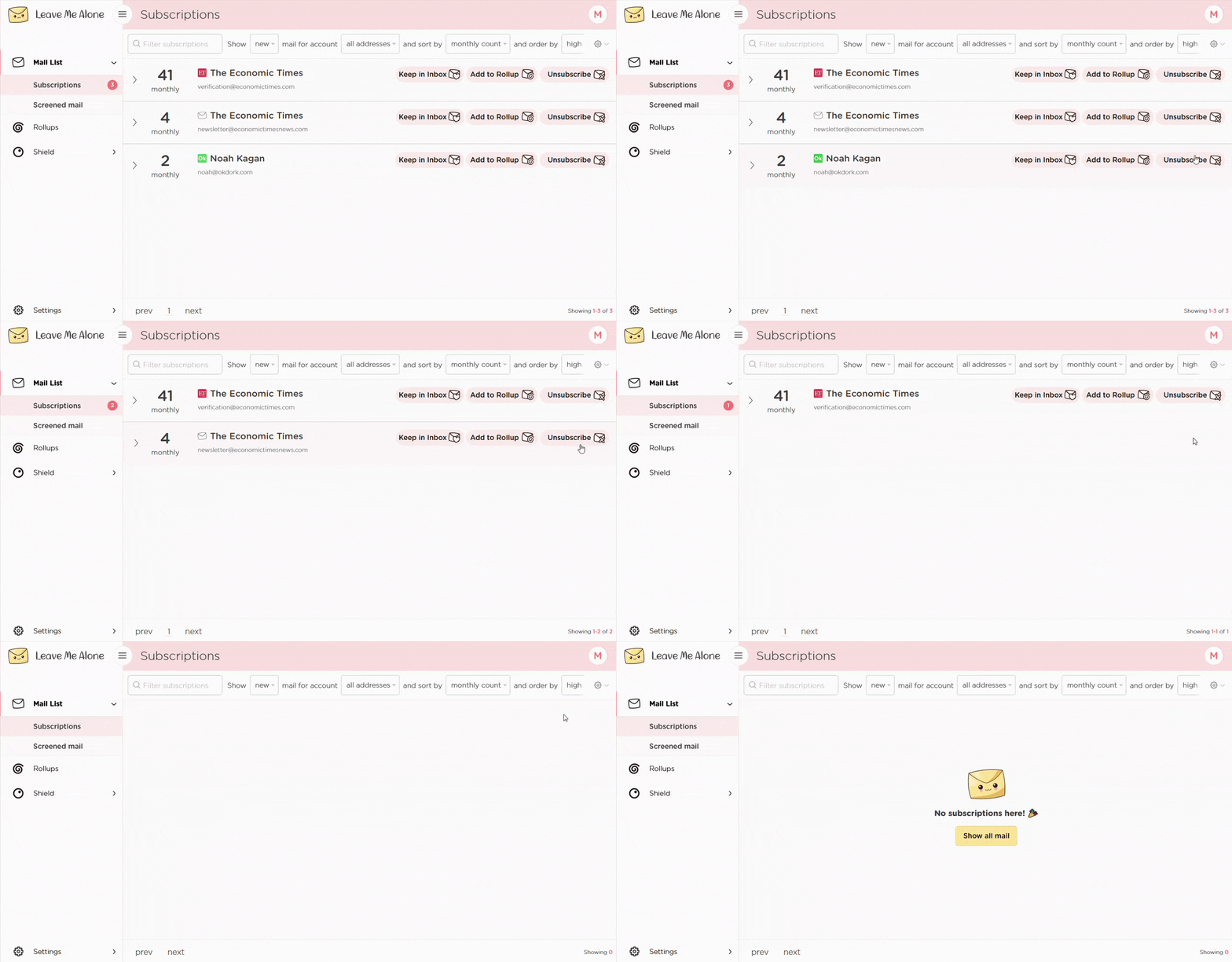
That's the easiest way to unsubscribe from BioOptimal Supplements! Leave Me Alone will automatically unsubscribe you, and even if you stop using our service those emails are gone forever.
Leave Me Alone works with a variety of email providers, including Gmail, Outlook and Hotmail, Yahoo, Zoho Mail, and others. It will also help you unsubscribe from emails from other platforms such as First 4 Figures, Bamshit, Afforce Soka, GLS Netherlands, or Fancy Sprinkles
Learn more about unsubscribing with Leave Me Alone
Or...
Start unsubscribing nowPlus Leave Me Alone has many other features to help you keep a clean inbox
Once you've mass-unsubscribed from all your unwanted emails, our Rollups, Screener, and Spam Blocker features will help you to keep your inbox clean with a minimal amount of effort!
Real unsubscribes

We follow unsubscribe links and actually unsubscribe you from emails. You'll never receive them again, even if you stop using our service.
Multiple accounts
You can connect multiple email accounts and see all your subscription emails together in a single place. No more tab switching!
Multiple Rollups

You can categorize your emails into up to 10 Rollups. These digests can be sent either daily or weekly on your custom schedule.
Block cold emails

Tired of fake personal emails trying to sell you something? We'll block cold emails sent via mass-mailer tools from landing in your inbox.
Priority senders

You want to receive some important emails immediately. Mark emails as priority senders and they will always arrive in your inbox.
Do-not-disturb mode

Need time to focus?
Our do-not-disturb mode holds onto your emails and delivers them when your focus time has finished.
Works with every email provider
Whichever email provider you use it will work with Leave Me Alone.
Leave Me Alone works with Gmail, Outlook, Yahoo, AOL, Fastmail, iCloud, and many more!







Frequently asked questions about unsubscribing from BioOptimal Supplements
What address do BioOptimal Supplements emails come from?
Most newsletters are sent from info@biooptimalsupplements.com
Why am I still getting emails after unsubscribing?
Some senders take up to 72 hours to process removals. You might still get transactional emails, such as receipts or account notices.
Is this guide affiliated with BioOptimal Supplements?
No. This independent guide is created by Leave Me Alone to help users manage unwanted emails.
Don't take our word for it, here's what our customers have to say
 4.5 stars from 2,000+ happy customers reviews
 4.7 out of 5 based on 120 reviews
 4.8 out of 5 based on 77 reviews
 Keep your inbox clean and tell the subscriptions
to leave you alone!
Unsubscribe from 10 emails for free - no credit card required.
14 day money back guarantee
This guide is for informational purposes only and not affiliated with BioOptimal Supplements.